Tornado Ragdoll Sandbox Controls & Inputs
Master every device so tornado spawns, ragdoll flings, and grenade throws stay intentional.
Why controls matter in a solo sandbox
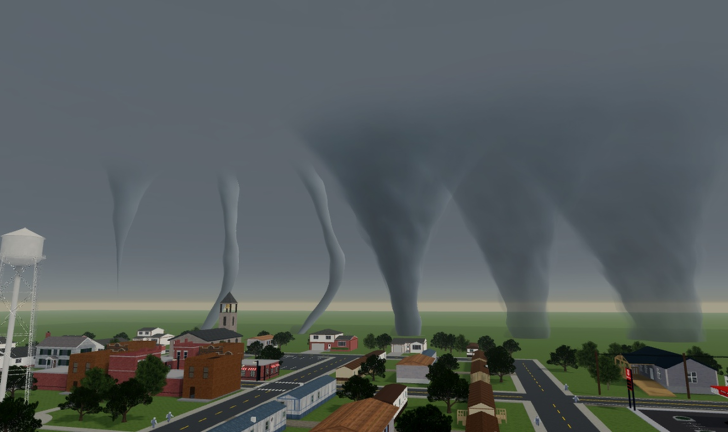
Tornado Ragdoll Sandbox by GoandLive_StayandDie (place 70836134327501, universe 10774206020) is a solo physics sim — maxPlayers is 1. Nobody else is sharing your session, so your skill ceiling is how cleanly you aim the camera, spawn funnels, grab dummies, and time explosives. Bad inputs waste staging; good inputs turn the same toys into readable clips.
This page maps the three client families Roblox supports — PC, mobile, and console — to the sandbox fantasy: EF tornadoes, ragdoll throws, and boom tools. Pair it with Getting Started if you are brand new, then jump into Spawn Tornadoes once bindings feel natural.
Official play link: Tornado Ragdoll Sandbox on Roblox.
Shared control goals (every device)
Before memorizing buttons, lock these habits:
- Always know which tool is active — tornado spawner, dummy/ragdoll tool, grenade/explosive, or weapon.
- Camera first, chaos second — frame the lot before you spawn an EF3+.
- One system at a time while learning — fling, then funnel, then boom. Mash later in Chaos Combos.
- Reset freely — solo sessions mean you can scrap a take without bothering anyone.
- Respect scale — EF labels on the EF Scale tool and ranks on the Tornado tier list should guide which input sequence you attempt.
PC controls
PC gives the most precise mouse aim for flings and grenade arcs.
Movement and camera
- WASD — walk the sandbox pads and prop yards
- Mouse look — orbit for long sightlines before high EF ranks
- Scroll / zoom — pull back before EF4/EF5 so debris stays in frame
- Shift (sprint) — reposition quickly between staging and filming angles
Tornado spawning
- Open the tornado / weather tool from the on-screen sandbox HUD or hotbar.
- Select intensity (EF0 → EF5) before confirming spawn.
- Click or confirm placement on clear ground — avoid spawning on top of your own staging props if you still need them.
- Cancel or despawn when the take ends so the next setup stays readable.
Deep dialing tips live in Spawn Tornadoes. Intensity meaning is summarized on /tools/ef-scale/.
Ragdoll grab, fling, and launch
- Equip the ragdoll / dummy interaction tool.
- Click or hold to select a dummy on a clear pad.
- Aim the launch vector with the mouse — prefer open space from the Map Guide.
- Release with measured force; watch limb physics before increasing power.
- Reset the dummy and repeat rather than stacking ten broken takes.
Explosives and weapons
- Equip a grenade, explosive, or weapon from the sandbox kit.
- Aim with the mouse; lead moving debris if a tornado is already spinning.
- Fire one shot for practice takes — weapon roles are ranked on the Weapons tier list.
- Combine with funnels only after single-tool timing feels good (Chaos Combos).
PC quality-of-life tips
- Bind or remember hotkeys for tool swapping so you never lose the camera mid-fling.
- Use a second monitor or split window with this wiki open for EF reference.
- Lower graphics briefly if an EF5 + explosive chain tanks FPS during filming.
Mobile controls
Touch clients can run the full fantasy; precision just needs slower staging.
Movement and camera
- Left virtual stick — move
- Right drag — look / orbit
- Pinch zoom when available — pull out before large wedges
- Keep thumbs clear of HUD buttons when you are about to confirm an EF spawn
Tornado spawning on touch
- Tap the tornado tool icon.
- Select EF intensity from the list or slider UI.
- Tap the ground target carefully — fat-finger taps near prop piles cause accidental wipes.
- Prefer EF0–EF2 in dense yards; save EF4/EF5 for open lots (Map Guide).
Ragdoll and fling on touch
- Tap to select the dummy.
- Drag the aim indicator toward open space.
- Release with shorter flicks first; long flicks often send dummies off-camera.
- Recenter the camera between throws — mobile FOV hides more of the arc.
Explosives on touch
- Use shorter throw charges until you learn the arc.
- Detonate after the tornado grabs a cluster, not before, so the boom rides the spin (Chaos Combos).
- Avoid multi-tap spam; one clean grenade beats five overlapping flashes.
Mobile session advice
Battery and heat matter on long clip farms. Stage smaller scenes, film, reset. The Tornado tier list B-tier EF1 picks are excellent mobile daily drivers.
Console controls
Controllers trade mouse precision for comfortable camera orbits — great for cinematic pans.
Movement and camera
- Left stick — move
- Right stick — look
- Triggers / bumpers — typically sprint, tool alt-fire, or UI tab depending on Roblox binding
- Soften stick sensitivity if debris tracking feels jittery during EF3+
Tornado spawning on controller
- Open the tool wheel or HUD slot for the tornado spawner.
- Navigate EF intensity with D-pad or stick highlights — confirm deliberately.
- Place with the primary action button on clear ground.
- Hold a long camera pull-back before confirming EF5 so the wedge does not eat the frame instantly.
Ragdoll and explosives on controller
- Aim flings with right-stick lead, then commit with the throw/fire button.
- Practice grenade arcs in open lots before mixing weapons from the Weapons tier list.
- Use bumper tool-swap to alternate dummy setup → funnel → boom without opening deep menus mid-take.
Input troubleshooting
| Symptom | Likely fix |
|---|---|
| Spawned wrong EF rank | Re-open spawner and confirm intensity before place |
| Dummy flies off-screen | Lower force; zoom out; use open pad from Map Guide |
| Grenade hits dirt early | Increase aim elevation; wait for tornado lift |
| UI buttons hard to hit (mobile) | Slow staging; prefer mid tiers |
| FPS hitch during finale | Fewer simultaneous systems; one spout + one boom |
If the client itself misbehaves after third-party tools, remember scripts are optional and risky — see Scripts. Core controls never require executors.
Suggested practice drills (15 minutes)
- Drill A — camera only: Walk a pocket from the Map Guide and film a pan with no tools.
- Drill B — ragdoll only: Ten flings at rising force; no tornado.
- Drill C — EF ladder: Spawn EF0, despawn, EF1, despawn, up through EF3 using Spawn Tornadoes.
- Drill D — one boom: Dummy + EF2 + single grenade once timing exists.
- Drill E — staged combo: Short recipe from Chaos Combos.
What controls do not unlock
- Promo codes — still none official mid-November 2026; Codes and How to Redeem.
- Multiplayer parties — this place stays solo; inputs will not summon multiplayer partners.
- Secret EF ranks beyond the shipped scale — stick to EF0–EF5 documented on /tools/ef-scale/.
Sibling links
Continue with Getting Started, Spawn Tornadoes, Chaos Combos, and the Map Guide. Rank toys on Tornadoes and Weapons. Return to the Guides Hub for the full index.
Clean inputs make every other guide easier. Learn your device once, then spend sessions on staging — not fighting the HUD.
Frequently Asked Questions
Quick answers about tornadoes, ragdolls, and sandbox chaos.
Do PC, mobile, and console all support tornado spawning?
Yes. All three Roblox clients can use the sandbox tools. Precision differs — PC aims best, mobile needs slower staging, console shines for camera pans.
What should I bind or practice first?
Camera orbit and tool swapping. Then ragdoll flings, then low EF spawns, then a single grenade. Chaos Combos come after those basics.
Why does my dummy leave the camera on mobile?
Touch flings are easy to overcharge and mobile FOV is tighter. Use shorter flicks, zoom out, and throw toward open lots from the Map Guide.
Do I need scripts for better controls?
No. Official tornado, ragdoll, and explosive tools cover the fantasy. Scripts are third-party, optional, and risky for your account.
Can friends join to help me aim?
No. The experience is solo with maxPlayers 1. Share clips outside the server or take turns on the same account session.
Where do I learn which EF button to pick?
Use the EF Scale tool for intensity meaning, the Tornado tier list for rankings, and Spawn Tornadoes for placement tips.